

Invoice from the hours you approved
Turn approved hours into invoices, send them, and see who has paid.
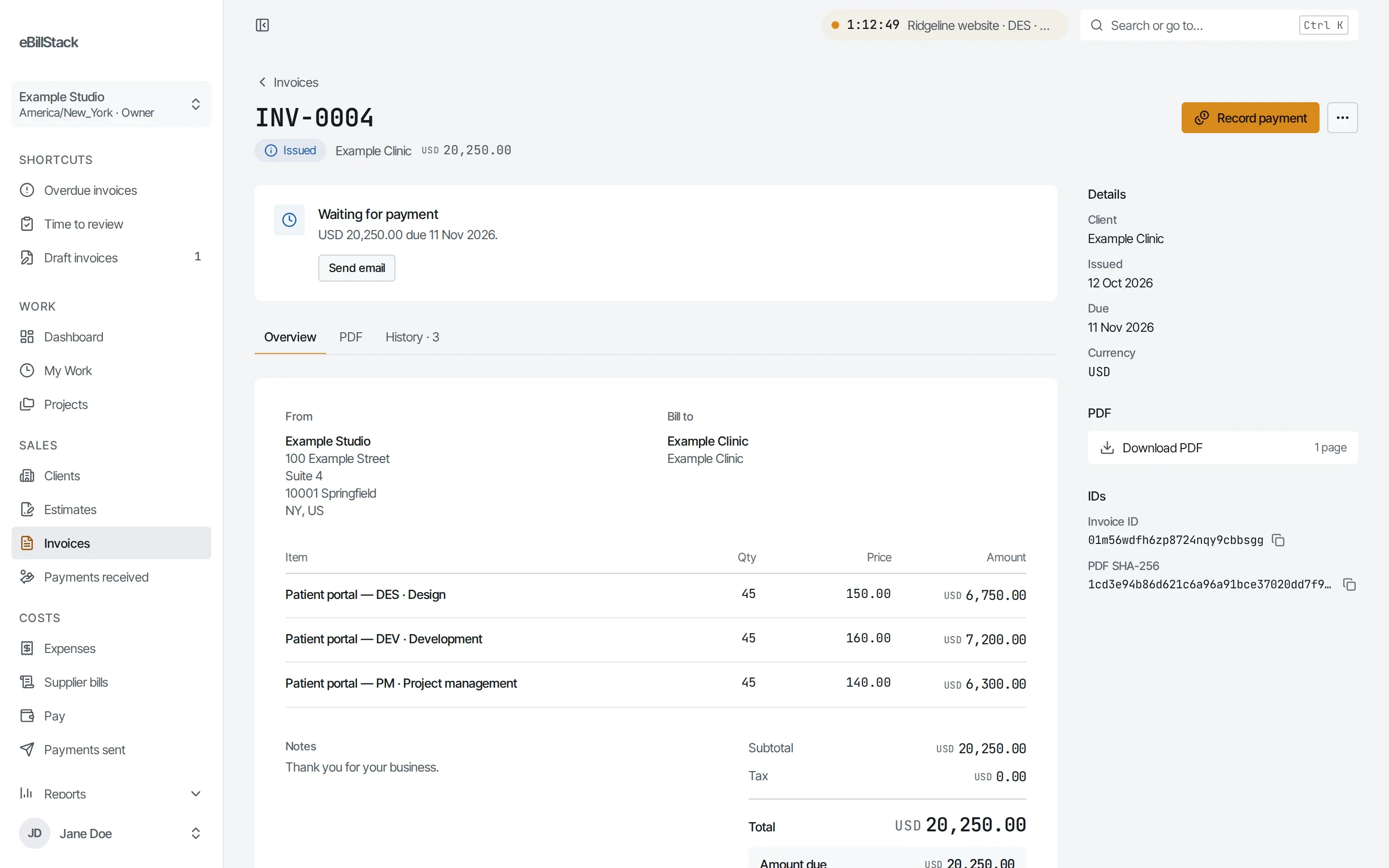
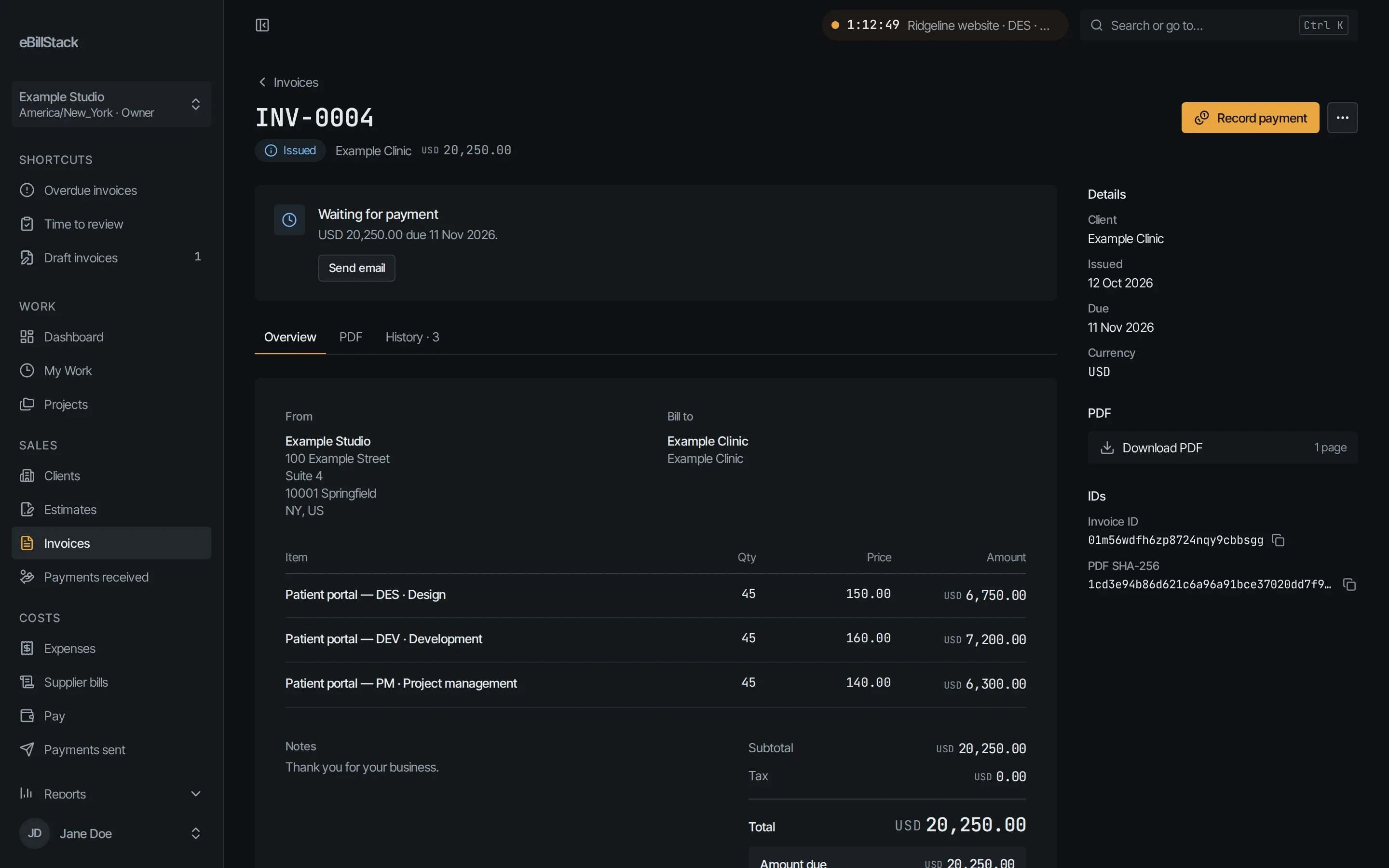
Invoices, estimates and credit notes
- Build an invoice draft from approved unbilled hours. There are several ways to group the lines.
- Build a draft from billable expenses.
- Issuing an invoice gives it a gap-free number, like INV-0001.
- Every document has a PDF.
- Credit notes correct an issued invoice, in part or in full.
Sending
- Email invoices, estimates and statements to your clients.
- Turn on optional payment reminders.
Estimates
Clients can accept or decline an estimate. An accepted estimate becomes an invoice draft.
Recurring invoices
Set a weekly, monthly or yearly schedule. The app creates a draft each time. You check it and issue it.
Pay online
- Connect your own Stripe account in Billing settings.
- Turn on Pay online for an issued invoice.
- The client pays by card through Stripe Checkout.
- The payment is recorded when Stripe confirms it.
Other payments
Record payments by hand, including partial payments. Anything extra becomes credit.
Client statements
Statements show a running balance for each currency.
Currencies
Currencies stay separate and are never added together. That includes USD, EUR, GBP, CAD, AUD, CHF, JPY and more.
Client portal
- Turn the portal on for each client.
- Invite contacts with an email sign-in link.
- Contacts see their invoices, estimates, credit notes, statements and PDFs.
- They can accept or decline estimates, and pay online.
- Portal contacts aren’t counted as people on your plan.
Send your next invoice from here
Free for 1 person and up to 10 active clients. No card needed.